How to Deploy with GitHub Actions (CI/CD Pipeline)
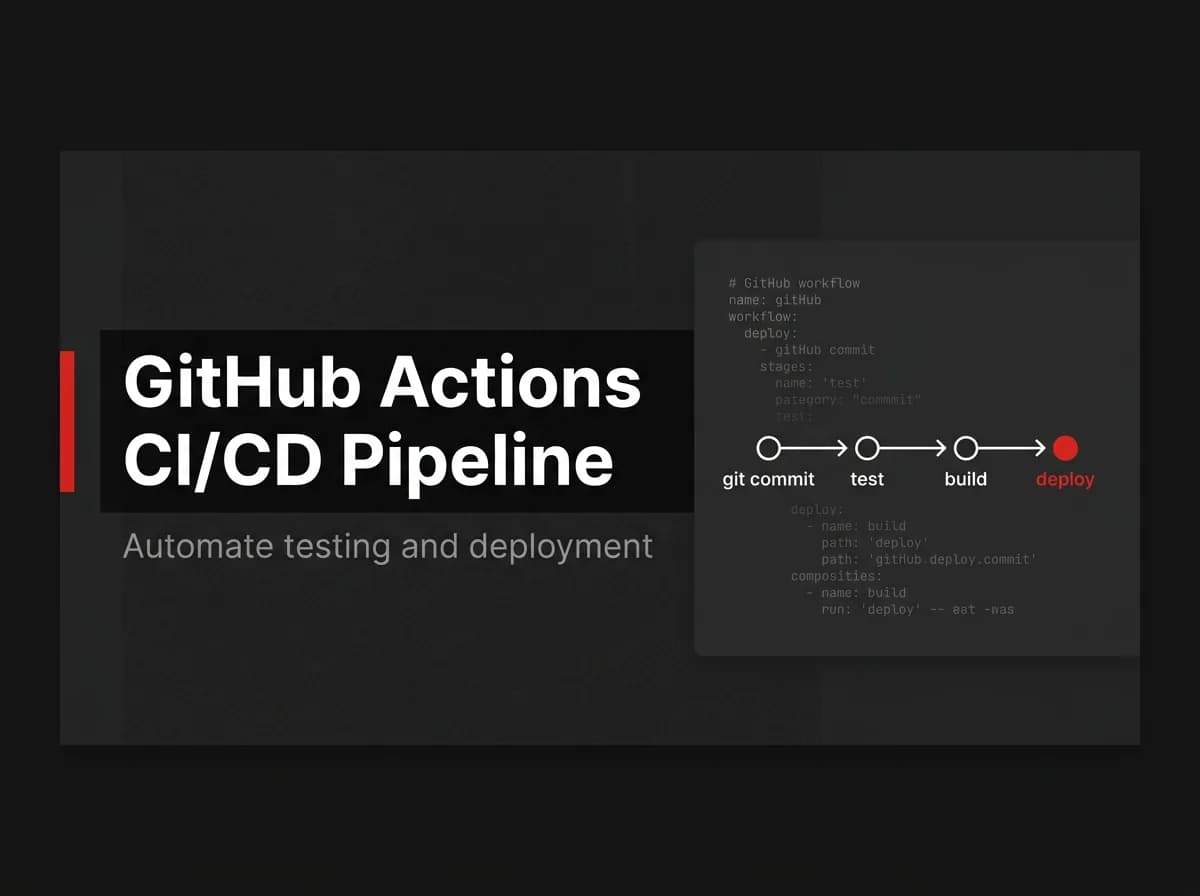
A GitHub Actions deploy pipeline starts with a workflow file in .github/workflows that triggers on push. The workflow runs jobs to install dependencies, test, and build your app, then a deploy job ships the build (or a Docker image) to your host. Store every credential as an encrypted repository secret, never inline in the YAML.
What CI/CD actually means
Continuous integration (CI) is the part where your code gets checked automatically: dependencies install, tests run, the build compiles. Continuous deployment (CD) is what happens after CI passes: the build ships to a server, a registry, or a hosting platform without you running commands by hand.
GitHub Actions is GitHub's built-in CI/CD system. It runs workflows defined in YAML whenever something happens in your repository: a push, a pull request, a tag, a schedule.
You don't need a separate CI vendor. If your code already lives on GitHub, the runner is already there.
Anatomy of a GitHub Actions deploy workflow
Every workflow file has three layers: triggers, jobs, and steps.
Triggers (
on:) decide when the workflow runs. Push tomain, open a pull request, a cron schedule.Jobs are independent units of work. Each job gets its own fresh virtual machine, called a runner.
Steps are the commands inside a job. They run in order, on the same runner, sharing the same filesystem.
For a deploy pipeline, the common pattern is two jobs: one that builds and tests, one that deploys, with the second depending on the first via needs:.
Note: The YAML in this guide is annotated and follows GitHub's documented syntax, but hasn't been run against a live deployment as written here. Treat it as a working starting point and adjust the registry, host, and secret names to your setup. (untested-here)
The build and test job
This job does the checking. It fails loudly if a dependency won't install, a test breaks, or the build errors, and a failed run here blocks the deploy job automatically because of the needs: dependency.
File: .github/workflows/deploy.yml
yaml
name: Deploy

on:
  push:
    branches: [main]
  pull_request:
    branches: [main]

jobs:
  build-test:
    runs-on: ubuntu-latest
    steps:
      - name: Checkout code
        uses: actions/checkout@v4

      - name: Set up Node.js
        uses: actions/setup-node@v4
        with:
          node-version: '20'

      - name: Enable pnpm
        run: corepack enable

      - name: Install dependencies
        run: pnpm install --frozen-lockfile

      - name: Run tests
        run: pnpm test

      - name: Build client and server
        run: pnpm build
If you're on a pnpm monorepo, that lockfile flag matters: --frozen-lockfile fails the install instead of silently rewriting your lockfile in CI. FastStaq's monorepo (client, server, and shared workspaces) ships 120+ passing tests already wired into pnpm test, so this job has something real to run against on day one instead of an empty test suite.
The deploy job
The deploy job only runs after build-test succeeds, and only on main, so pull requests get checked but never shipped. Add it as a second job in the same deploy.yml, appended after build-test.
yaml
  deploy:
    needs: build-test
    if: github.ref == 'refs/heads/main'
    runs-on: ubuntu-latest
    steps:
      - name: Checkout code
        uses: actions/checkout@v4

      - name: Log in to GitHub Container Registry
        uses: docker/login-action@v3
        with:
          registry: ghcr.io
          username: ${{ github.actor }}
          password: ${{ secrets.GITHUB_TOKEN }}

      - name: Build and push server image
        uses: docker/build-push-action@v5
        with:
          context: ./server
          file: ./server/Dockerfile.server
          push: true
          tags: ghcr.io/${{ github.repository }}/server:${{ github.sha }}

      - name: Trigger host deploy
        run: |
          curl -X POST "${{ secrets.DEPLOY_WEBHOOK_URL }}" \
            -H "Authorization: Bearer ${{ secrets.DEPLOY_TOKEN }}" \
            -d '{"image": "ghcr.io/${{ github.repository }}/server:${{ github.sha }}"}'
That last step is deliberately generic: a webhook call that tells your host to pull the new image. Swap it for an SSH step, a Railway or Render deploy hook, or a Kubernetes rollout, whatever actually runs your infrastructure.
I'd reach for the Docker route over a raw file copy for most SaaS backends, because the image you tested in CI is the exact image that runs in production. No "works on the build server" gap. Skip it if your host doesn't run containers at all; a plain rsync or platform-native deploy action will be less setup.
Full disclosure: FastStaq's server already ships a production Dockerfile.server. This build-and-push step targets it with barely any changes: point context and file at the server workspace and the image builds the same way it would locally.
Secrets: keep credentials out of the YAML
Anything a deploy step needs (registry tokens, SSH keys, webhook URLs, API keys) belongs in GitHub's encrypted secrets, not in the workflow file and not in a committed .env.
Repository secrets: set under Settings → Secrets and variables → Actions. Available to every workflow in the repo.
Environment secrets: scoped to a named environment, like
production, with optional required reviewers before a job can use them.GITHUB_TOKEN: generated automatically for every run and scoped to the repository. Use it for registry pushes toghcr.ioinstead of minting a personal access token.
Pro tip: Add required reviewers to your
productionenvironment. The deploy job then pauses for a manual approval click before it touches your live server, a cheap safety net for a one-person team.
Rotate any secret immediately once it's exposed, even in a private repo. A value printed in a workflow log or visible in a fork's pull request should be treated as compromised.
Pipeline stages at a glance
Stage | Runs when | What happens | Blocks deploy if |
|---|---|---|---|
Checkout | Every push and PR | Pulls the repository onto the runner | Repo access fails |
Install | After checkout |
| Lockfile mismatch or install error |
Test | After install |
| Any test fails |
Build | After tests pass | Compiles client and server | Build errors out |
Image | After build, | Builds and pushes the Docker image | Docker build or push fails |
Deploy | After image push | Notifies the host to pull the new image | Webhook or host rejects the request |
Further reading: GitHub's documentation covers the full YAML syntax, including matrix builds and reusable workflows, at docs.github.com/en/actions.
FAQ
What's the difference between a job and a step in GitHub Actions? A job runs on its own fresh virtual machine and can run in parallel with other jobs. A step is a single command or action inside a job, and steps in the same job share that job's filesystem and run in sequence.
Can one workflow both build and deploy, or do I need two separate workflow files? One workflow file can hold multiple jobs, which is the pattern used above: a build-test job and a deploy job in the same deploy.yml, linked by needs:. Separate files are the right call once the jobs get complex enough to version or trigger independently.
How do I stop GitHub Actions from deploying on every pull request? Add an if: github.ref == 'refs/heads/main' condition to the deploy job. It then runs only when the workflow triggers from the main branch, and pull request runs stop after the build-test job.
Does GitHub Actions work with a pnpm monorepo? Yes. corepack enable gets you the pnpm version pinned in your package.json, and pnpm install --frozen-lockfile installs across all workspaces, client, server, and shared, in one step.
Can GitHub Actions deploy a Docker image without a separate CI tool? Yes. The docker/build-push-action builds and pushes an image directly from a runner, and GitHub Container Registry (ghcr.io) accepts pushes authenticated with the automatic GITHUB_TOKEN, so no external CI or registry account is required.
Where to go next
You now have a two-job workflow: one that installs, tests, and builds, and one that builds a Docker image and hands it off to your host, with every credential stored as a secret instead of sitting in the YAML. From here, the next step is wiring the actual deploy trigger to whatever host you're running, whether that's a VPS, Railway, Render, or your own Kubernetes cluster.
If you're deploying a containerized Next.js and Express app, start with Dockerize a Next.js app to get the image right before you automate shipping it, or go straight to self-host Next.js if you're skipping managed hosting entirely. For the full deployment path from empty repo to live app, see our deployment overview.
FastStaq's monorepo ships that Dockerized server build already in place, so if you're starting a new SaaS instead of retrofitting one, the pipeline above works against it on day one. FastStaq is $299 one time for lifetime access and the full source code, no subscription. Check the current setup at faststaq.com.