Transactional Email - How to Send It from Your SaaS
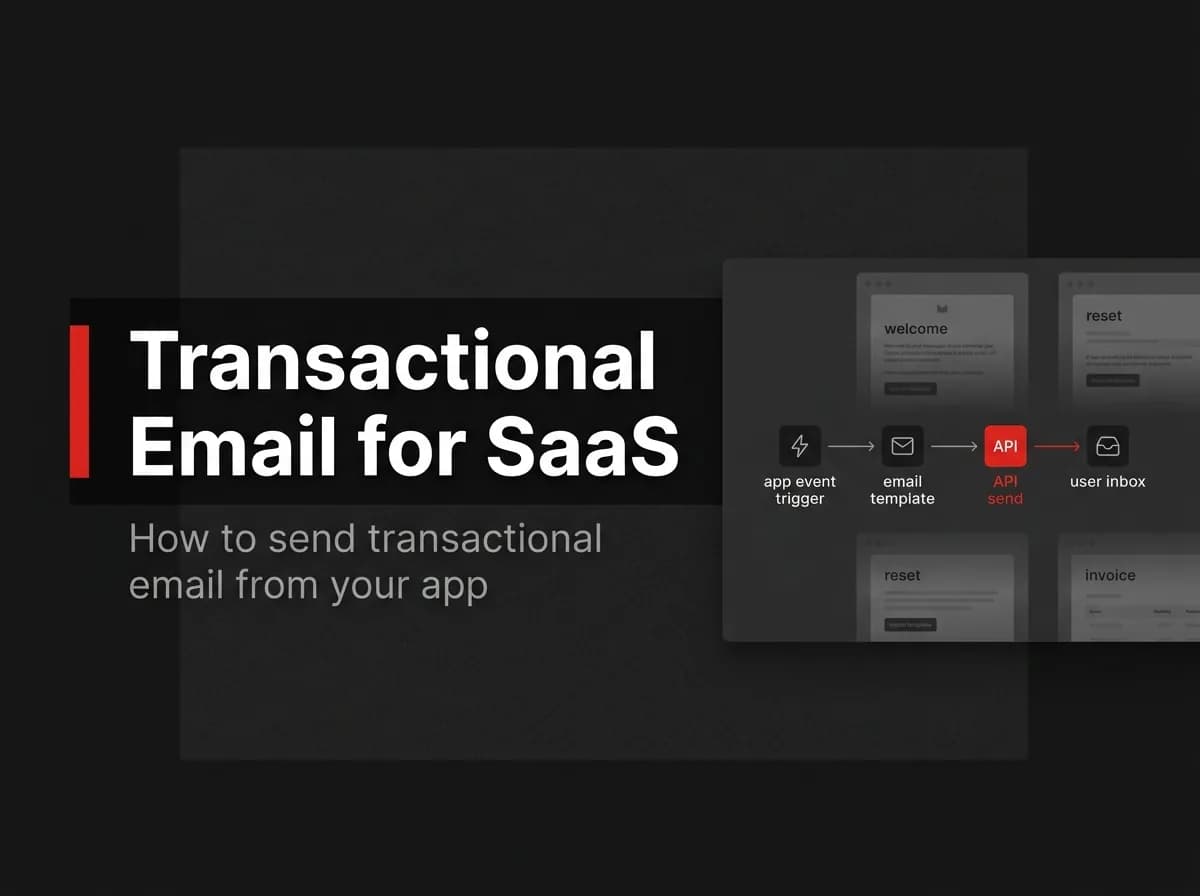
Transactional email is the category of application mail nobody thinks about until it fails — and when a password reset lands in spam or a receipt never arrives, it damages trust fast. Sending it correctly means choosing the right API, queuing it so a slow provider never blocks your app, and authenticating your domain so it reaches the inbox. Here's how to get it right.
Quick Answer
Transactional email is automated, one-to-one mail triggered by a user action — password resets, receipts, verification links. Send it through an email provider's API, queue it with a background worker so a slow provider never blocks your request, and authenticate your domain with SPF, DKIM, and DMARC so it lands in the inbox instead of spam.
Transactional vs marketing email
Transactional | Marketing | |
|---|---|---|
Trigger | A user action | A campaign |
Audience | One recipient | A list |
Examples | Reset, receipt, verify | Newsletter, promo |
Consent | Implied by the action | Explicit opt-in required |
Mixing the two hurts deliverability — keep transactional streams separate from marketing.
How sending works
Your app calls an email provider's API to send the message. The reliable pattern is to enqueue the send on a background worker rather than calling the provider inline, so a slow or failing provider never blocks the user's request.
Deliverability: SPF, DKIM, DMARC
Authenticate your sending domain:
SPF authorizes which servers may send for your domain.
DKIM cryptographically signs your mail.
DMARC tells receivers what to do if SPF/DKIM fail.
Without these, transactional mail often lands in spam.
Reliability via a queue
Queue every send and retry on transient failures. A queue also smooths spikes (a flood of signups) and gives you a place to log and monitor delivery.
Common transactional emails
Welcome/verification, password reset, magic-link login, receipts and invoices, and security alerts.
How this maps to FastStaq
FastStaq sends transactional email through a queued background worker (built on BullMQ/Redis) that you point at the email provider of your choice. So the queue-for-reliability pattern above is built in — FastStaq does not lock you to a specific email vendor; you configure one. This pairs with its magic link authentication. See the Supabase + Next.js guide for the broader stack.
Frequently asked questions
What is the difference between transactional and marketing email? Transactional is triggered by a user action and sent to one person; marketing is a campaign sent to a list with explicit opt-in.
Why queue email instead of sending inline? So a slow provider never blocks the user's request, and failed sends can be retried.
How do I avoid the spam folder? Authenticate your domain with SPF, DKIM, and DMARC, and keep transactional and marketing streams separate.
Next steps
Read the Supabase + Next.js guide
Back to the Supabase + Next.js integration hub