The Optimal Next.js Dockerfile (Multi-Stage Build)
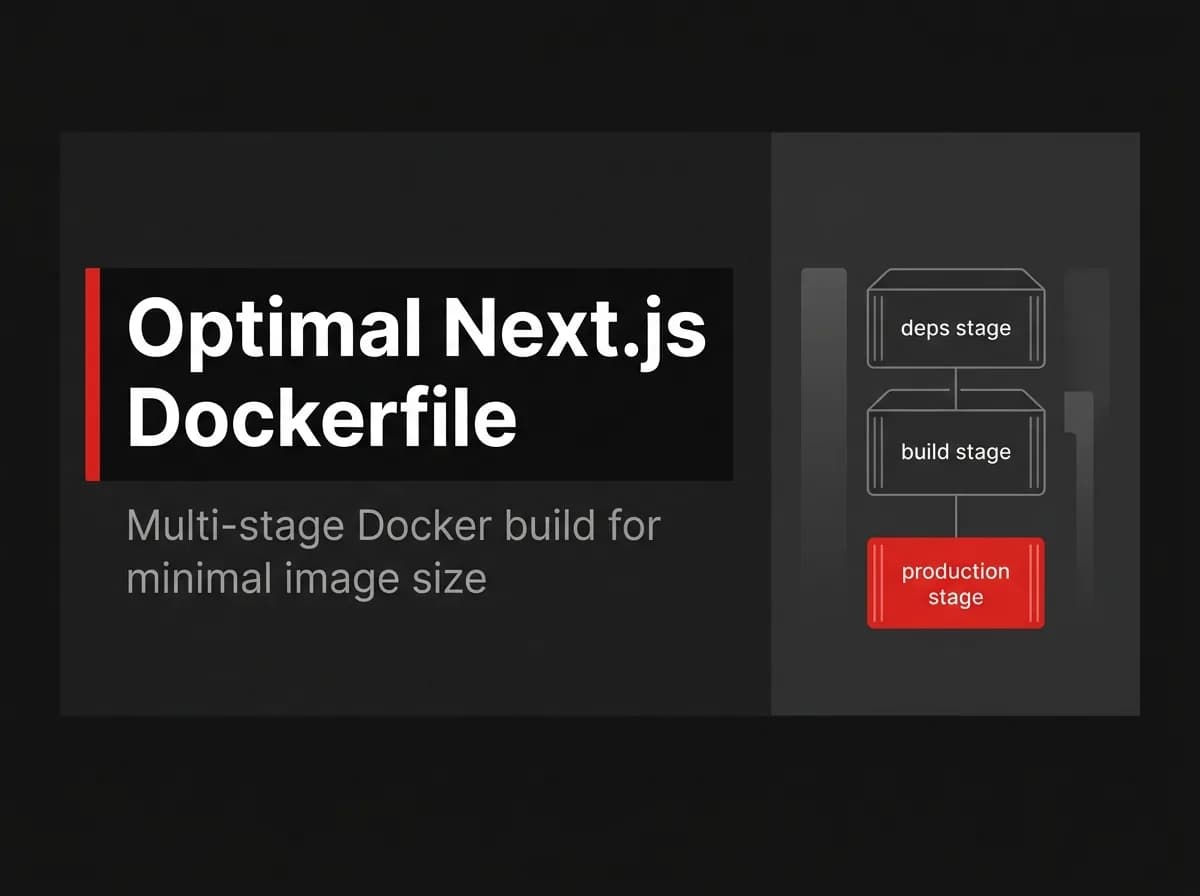
An optimal Next.js Dockerfile separates dependency installation, application compilation, and production runtime into different stages. The final stage copies Next.js standalone output instead of the full repository, runs the server under a non-root user, and includes a container health check.
The Dockerfile below uses Node.js 20, pnpm, and Next.js standalone output. It is adapted from the deployment structure described in FastStaq’s internal brief, but this exact version has not been run against the FastStaq repository. Check the paths, workspace configuration, environment variables, and health endpoint before deploying it.
Quick answer
An optimal Next.js Dockerfile uses a multi-stage build with one stage for dependencies, one for compiling the application, and one small stage for running it. Enable output: 'standalone' in next.config.js, then copy .next/standalone, .next/static, and public into the final image.
Run the application under a dedicated non-root user. Add a health check that calls a lightweight, unauthenticated endpoint and returns a failure when the application cannot serve traffic.
A multi-stage Dockerfile builds an application in one stage and copies only the required runtime files into a separate final stage.
The complete Next.js Dockerfile
Save the following file as Dockerfile.client.
Note: This Dockerfile is a production-oriented reference adapted from the FastStaq deployment brief. It has not been tested inside this article environment. The example assumes the Docker build context is the Next.js application directory rather than the root of a larger monorepo.
# syntax=docker/dockerfile:1

# ---------------------------------------------------------
# Base
# ---------------------------------------------------------
FROM node:20-alpine AS base

ENV PNPM_HOME="/pnpm"
ENV PATH="$PNPM_HOME:$PATH"

RUN apk add --no-cache libc6-compat \
    && corepack enable

WORKDIR /app

# ---------------------------------------------------------
# Dependencies
# ---------------------------------------------------------
FROM base AS deps

COPY package.json pnpm-lock.yaml ./

# Copy this file too when the project uses a pnpm workspace.
# COPY pnpm-workspace.yaml ./

RUN --mount=type=cache,id=pnpm,target=/pnpm/store \
    pnpm install --frozen-lockfile

# ---------------------------------------------------------
# Builder
# ---------------------------------------------------------
FROM base AS builder

ENV NEXT_TELEMETRY_DISABLED=1

COPY --from=deps /app/node_modules ./node_modules
COPY . .

RUN pnpm build

# ---------------------------------------------------------
# Production runner
# ---------------------------------------------------------
FROM node:20-alpine AS runner

ENV NODE_ENV=production
ENV NEXT_TELEMETRY_DISABLED=1
ENV HOSTNAME=0.0.0.0
ENV PORT=3000

WORKDIR /app

RUN apk add --no-cache libc6-compat \
    && addgroup --system --gid 1001 nodejs \
    && adduser --system --uid 1001 nextjs

COPY --from=builder --chown=nextjs:nodejs /app/public ./public
COPY --from=builder --chown=nextjs:nodejs /app/.next/standalone ./
COPY --from=builder --chown=nextjs:nodejs /app/.next/static ./.next/static

USER nextjs

EXPOSE 3000

HEALTHCHECK --interval=30s --timeout=5s --start-period=20s --retries=3 \
  CMD wget --no-verbose --tries=1 --spider http://127.0.0.1:3000/api/health || exit 1

CMD ["node", "server.js"]
Change /api/health if your application uses another health endpoint. The route should not require authentication, call slow external services, or perform expensive database work on every probe.
For a pnpm monorepo, the dependency and source-copy sections will probably need different paths. A client under client/, for example, may require the root lockfile, pnpm-workspace.yaml, the client manifest, and manifests for every workspace package imported by the client.
Why this Next.js Dockerfile uses multiple stages
A single-stage Dockerfile often leaves the application source, development dependencies, package-manager cache, compilers, and temporary build files inside the production image. Those files may be useful during compilation, but the running Next.js server does not need most of them.
Docker multi-stage builds solve that problem by allowing several FROM instructions in one Dockerfile. Files can be copied selectively from one named stage into another, leaving unwanted build tools and intermediate files outside the final image.
The separation also improves layer caching. The dependency stage copies package.json and pnpm-lock.yaml before copying the application source. Docker can reuse the dependency layer when application code changes but dependency declarations stay the same.
A lockfile change invalidates that layer, which is correct because the installed dependency tree may have changed.
The final runtime stage still needs security maintenance. A smaller image does not repair vulnerable packages, protect exposed secrets, configure the host firewall, or secure a reverse proxy. Next.js recommends placing a reverse proxy such as nginx in front of a self-hosted server rather than exposing the application server directly to the internet.
Prerequisites before building the image
Confirm these requirements before debugging the Dockerfile:
pnpm buildsucceeds outside Docker.The application supports Node.js 20.
pnpm-lock.yamlis committed and current.Docker uses the intended build context.
Required build-time and runtime variables are documented.
The application has a lightweight health endpoint.
Next.js standalone output is enabled.
Enable Next.js standalone output
Add output: 'standalone' to the application’s Next.js configuration.
For a CommonJS configuration:
// next.config.js

/** @type {import('next').NextConfig} */
const nextConfig = {
  output: 'standalone',
};

module.exports = nextConfig;
For an ESM configuration:
// next.config.mjs

/** @type {import('next').NextConfig} */
const nextConfig = {
  output: 'standalone',
};

export default nextConfig;
During next build, Next.js traces the files required by the production server and creates a minimal server entry point. The generated standalone directory does not remove the need to copy .next/static and public into the runtime image.
Read Next.js standalone output for a closer examination of the generated directory, monorepo tracing, and runtime limitations.
How each Docker stage works
Base stage: use one build environment
The base stage defines the Node.js version, package-manager setup, working directory, and shared operating-system packages used during dependency installation and compilation.
The example uses node:20-alpine. Alpine-based images can reduce the size of the base layer, but Alpine uses musl libc rather than glibc. Native dependencies may require compatibility packages, extra compilation steps, or a Debian-based image.
libc6-compat addresses some compatibility cases. It does not guarantee that every native Node.js module will work on Alpine.
Use a Debian slim image when dependency compatibility matters more than reducing the base layer:
FROM node:20-bookworm-slim AS base
Do not switch base distributions blindly after the build stage. Native packages compiled in one environment can fail when copied into an incompatible runtime environment.
Dependency stage: install from the lockfile
The deps stage copies dependency declarations before application source:
COPY package.json pnpm-lock.yaml ./
RUN pnpm install --frozen-lockfile
--frozen-lockfile tells pnpm to fail when the lockfile does not match the package manifest. That is preferable in CI and production builds because it prevents an unnoticed dependency resolution from changing the image.
The cache mount stores pnpm’s downloaded package data outside the committed image layer:
RUN --mount=type=cache,id=pnpm,target=/pnpm/store \
    pnpm install --frozen-lockfile
The mount requires Docker BuildKit, which is enabled in current Docker installations. Remove the mount syntax if the build system uses an older builder without support for it.
Monorepos need more care. pnpm may require:
The root
package.jsonThe root
pnpm-lock.yamlpnpm-workspace.yamlThe client package manifest
Manifests from imported workspace packages
Copying too few manifests can break installation. Copying the entire repository before installation works, but weakens dependency-layer caching.
Builder stage: compile the application
The builder receives node_modules from the dependency stage, copies the source, and runs the production build:
COPY --from=deps /app/node_modules ./node_modules
COPY . .
RUN pnpm build
Build-time environment variables must be available during this stage. This is especially important for variables prefixed with NEXT_PUBLIC_.
Next.js replaces references to NEXT_PUBLIC_ variables with their values during next build. Those values are then frozen inside the browser bundle. Changing the container’s runtime environment will not rewrite the compiled client-side JavaScript.
Do not pass secrets through Docker ARG or ENV instructions without understanding where they may appear. Build arguments and environment values can become visible through image metadata, cached layers, build logs, or generated client code.
Use BuildKit secret mounts when a private registry token or another temporary build credential is required.
Runner stage: copy only runtime files
The runner stage starts from a clean Node.js image rather than inheriting the builder:
FROM node:20-alpine AS runner
It receives three outputs:
COPY --from=builder /app/public ./public
COPY --from=builder /app/.next/standalone ./
COPY --from=builder /app/.next/static ./.next/static
Each path has a separate purpose:
.next/standalonecontains the generated server and traced runtime files..next/staticcontains generated JavaScript, CSS, and related static build assets.publiccontains application-managed public files.
Copying only .next/standalone can produce a container that starts successfully but returns 404 responses for CSS, JavaScript, images, or fonts.
The runner does not need the package-manager cache, source tree, full development dependency graph, TypeScript compiler, test files, or lint configuration.
Non-root execution
The runner creates a dedicated user and group:
RUN addgroup --system --gid 1001 nodejs \
    && adduser --system --uid 1001 nextjs
The copied runtime files are assigned to that user, and the process switches away from root:
USER nextjs
This limits the default privileges available to the application process. It does not replace container isolation, host patching, network restrictions, secret management, or application-level authorization.
Check writable directories before deployment. Incremental Static Regeneration, image processing, temporary files, uploaded files, and custom caches may require write access to selected paths.
Health check
A running Node.js process is not proof that the application can serve requests. The health check calls the server and marks the container unhealthy after repeated failures.
HEALTHCHECK --interval=30s --timeout=5s --start-period=20s --retries=3 \
  CMD wget --no-verbose --tries=1 --spider http://127.0.0.1:3000/api/health || exit 1
The endpoint should answer quickly and return a non-success status when the application cannot accept traffic.
Keep the probe narrow. A database dependency can be included when the application is unusable without the database, but checking every external integration can create false failures during an unrelated provider outage.
Add a .dockerignore file
A .dockerignore file prevents unnecessary local files from entering the Docker build context.
Create .dockerignore beside the Dockerfile:
.git
.github
.next
node_modules
coverage
dist
*.log
.env
.env.*
!.env.example
README.md
Do not include production secrets in the build context. Runtime secrets should normally enter through the deployment platform, Docker Compose environment configuration, or another secret-management system.
Do not ignore files required by the build. A monorepo may need root workspace files, shared packages, generated clients, or package-level configuration that a single-package application does not use.
Build and run the container locally
Build the image from the directory used as the Docker context:
docker build -f Dockerfile.client -t my-nextjs-app .
Run it with a production environment file:
docker run --rm \
  --name my-nextjs-app \
  -p 3000:3000 \
  --env-file .env.production \
  my-nextjs-app
In Windows PowerShell, the same command can be entered on one line:
docker run --rm --name my-nextjs-app -p 3000:3000 --env-file .env.production my-nextjs-app
Open http://localhost:3000, then inspect the container:
docker ps
docker logs my-nextjs-app
docker inspect --format='{{json .State.Health}}' my-nextjs-app
The health status may remain starting during the configured start period. A status of unhealthy means the command failed repeatedly, not necessarily that the Node.js process stopped.
Inspect the health-check output with:
docker inspect my-nextjs-app
Look under State.Health.Log for the exit code and command output.
Expected image size
FastStaq’s internal deployment brief reports a client image of approximately 180 MB when using a multi-stage build and standalone output.
That number is a FastStaq-specific observation, not a guaranteed result for every Next.js application. The brief does not state whether 180 MB refers to Docker’s local uncompressed size, registry transfer size, or another measurement.
Image size changes based on:
The selected Node.js base image
Native dependencies
Prisma engines or other generated binaries
Browser automation packages
Image-processing libraries
Fonts and public assets
Operating-system packages
Architecture, such as AMD64 or ARM64
Build approach | Final image contents | Likely effect |
|---|---|---|
Single-stage build | Source, build tools, dependency cache, development packages, runtime output | Larger image |
Basic multi-stage build | Selected build output and runtime dependencies | Smaller than a comparable single-stage build |
Standalone multi-stage build | Traced Next.js server files, static output, public assets, Node.js runtime | Lean production package for supported Next.js applications |
Do not judge the result by size alone. A slightly larger Debian image that runs native packages reliably is better than a smaller Alpine image that fails after deployment.
Use docker history to identify large layers:
docker history my-nextjs-app
For more detailed analysis, use an image-layer inspection tool approved for your development environment.
Common Next.js Dockerfile problems
server.js is missing
The final command expects server.js at /app/server.js.
Common causes include:
output: 'standalone'is absent.pnpm buildfailed or did not run.The Dockerfile copied the wrong
.nextdirectory.The project uses a monorepo path that differs from
/app.A custom server is being combined with standalone output.
Next.js states that standalone output creates a separate minimal server.js and does not trace custom server files. A custom server and the generated standalone server should not be treated as interchangeable.
CSS, JavaScript, or images return 404
Check whether both paths were copied:
COPY --from=builder /app/.next/static ./.next/static
COPY --from=builder /app/public ./public
Also confirm the configured assetPrefix, base path, reverse-proxy routing, and CDN configuration.
The build cannot find workspace packages
A pnpm monorepo may resolve an internal package locally while the Docker build lacks the same workspace files.
Check:
pnpm-workspace.yamlRoot and package-level manifests
Shared package source
TypeScript path aliases
Generated package outputs
Docker build context
FastStaq is described as a pnpm monorepo containing client/, server/, and shared/. Its exact Docker copy paths need to reflect that repository structure rather than the single-package paths used in this reference Dockerfile.
Environment variables are undefined in the browser
Server-only variables do not automatically exist in browser code.
Variables intended for browser code need a NEXT_PUBLIC_ prefix, but those values become part of the application during next build. Set them in the builder stage or provide runtime configuration through a server endpoint when deployments require different browser-visible values from one image.
Native modules fail on Alpine
An error involving missing shared libraries, incompatible binaries, or native bindings may come from the Alpine musl environment.
Possible fixes include:
Add the required Alpine package.
Compile the dependency in the same base environment.
Rebuild generated native binaries.
Use
node:20-bookworm-slim.
Do not copy native node_modules from a Windows or macOS host into a Linux container.
The runner reports permission errors
The process may be trying to write into a root-owned directory.
Inspect:
.next/cacheUpload directories
Temporary export directories
Generated files
SQLite files, when used
Custom log directories
Give the nextjs user ownership only where write access is required. Avoid changing the whole filesystem to world-writable permissions.
The health check always fails
Check these points:
The endpoint exists.
The route is unauthenticated.
The server listens on
0.0.0.0.The port matches
PORT.wgetexists in the runner image.Startup completes within the start period.
The endpoint returns a success status.
Reverse-proxy-only routes are not being checked from inside the container.
Run the command manually inside the container:
docker exec my-nextjs-app \
  wget --no-verbose --tries=1 --spider http://127.0.0.1:3000/api/health
When this Dockerfile is the wrong choice
This Dockerfile targets a self-hosted Node.js Next.js application. It is not universal.
A static export may only need a static web server or object storage. A managed serverless platform may package and operate the runtime for you. A custom Next.js server needs different tracing and startup logic.
A Debian slim base may be a better choice when the project relies on native dependencies. A large pnpm monorepo may also benefit from workspace pruning, targeted package installation, or a build tool such as Turborepo.
Multiple production replicas introduce concerns beyond the Dockerfile. Next.js documents shared caching, deployment identifiers, Server Function encryption keys, and cache invalidation coordination for multi-instance deployments.
The Dockerfile packages the application. It does not define the full production architecture.
How FastStaq handles Next.js deployment
FastStaq ships a multi-stage Dockerfile.client, enables Next.js standalone output, runs the production process under a non-root user, and includes a health check. Its internal deployment notes report a client image of approximately 180 MB.
FastStaq also includes a separate Express and TypeScript REST API, PostgreSQL through Prisma, Redis, BullMQ workers, and S3-compatible storage. The client Dockerfile is one part of that deployment setup rather than the entire production system.
The practical benefit is that the dependency, build, and runtime structure is already wired into the SaaS foundation. You still need to set environment variables, choose infrastructure, verify health checks, configure persistent services, and test the deployment under your own traffic and failure conditions.
For the broader setup, read Dockerize a Next.js app or review the Docker configuration included with FastStaq.
FAQ
What is the best base image for a Next.js Dockerfile?
node:20-alpine is compact, but its musl-based environment can cause problems with native packages. node:20-bookworm-slim is usually larger and often easier when an application depends on native binaries or system libraries. Choose based on tested compatibility rather than the smallest tag.
Does Next.js standalone output include static files?
The standalone directory contains the generated server and traced runtime files. Copy .next/static and the application’s public directory separately into the runtime image. Missing either path can cause broken assets or 404 responses.
Should a Next.js container run as a non-root user?
Yes, under normal production conditions. A dedicated user limits the privileges available to the application process. The application still needs correct ownership for any directory it writes to.
Why is my Next.js Docker image large?
The runtime stage may contain the full source tree, development dependencies, build caches, native binaries, or large public assets. Inspect the image layers with docker history, then remove unnecessary files through a multi-stage build. Do not remove runtime files solely to reach an arbitrary size target.
Do I need npm start with standalone output?
No. Next.js standalone output generates a minimal server.js, which can be started with node server.js. Verify the generated path and test the container because monorepo tracing and custom configuration can change the surrounding directory structure.
Where to go next
Enable standalone output, add the multi-stage Dockerfile, and build it from the same context your CI system will use. Run the resulting image with production-like variables and verify server startup, static assets, health status, permissions, and graceful shutdown.
Then replace the generic package paths and health endpoint with the real paths from your repository.
Read Dockerize a Next.js app for the broader container setup and Next.js standalone output for the standalone build details. FastStaq includes this Docker foundation alongside the client, Express API, workers, database integration, billing, authentication, and other SaaS modules.