Multi-Tenant SaaS Architecture - A Practical Guide
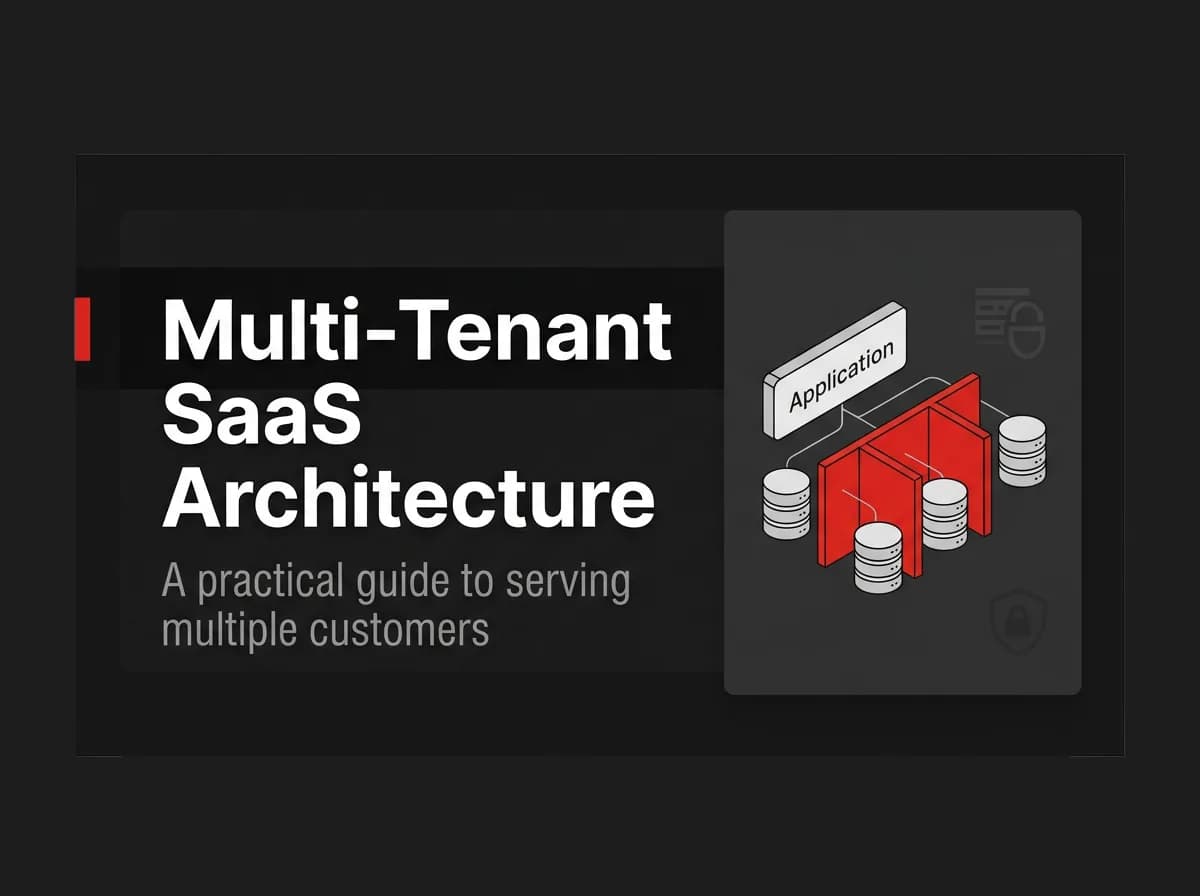
Multi-tenant SaaS architecture serves many customer organizations, called tenants, from one application and one codebase. The three common isolation models are shared database with a tenant column, schema-per-tenant, and database-per-tenant, and each one trades simplicity for isolation. Most SaaS products start with shared-database tenant scoping plus role-based access control, then move to stricter isolation only when a specific customer or compliance requirement forces it.
What multi-tenancy is
Multi-tenancy is one app instance serving multiple isolated customer organizations. Each organization, usually called a tenant or workspace, has its own users, data, and settings, but they all run on the same deployed application.
Contrast that with single-tenant architecture, where every customer gets their own deployment, database, and infrastructure. Single-tenant is simpler to isolate but expensive to operate past a handful of customers: you're patching, scaling, and monitoring N copies of the same app instead of one.
Most B2B SaaS products are multi-tenant by default. The question isn't whether to build multi-tenancy, it's which isolation pattern to use and when to upgrade it.
The three isolation patterns
Every multi-tenant SaaS architecture picks a point on the same spectrum: how much of the database is shared between tenants versus dedicated to one.
Pattern | Isolation level | Operational complexity | Best for |
|---|---|---|---|
Shared database, tenant column | Row-level, inside a shared schema | Low: one schema, one connection pool, one migration path | Early-stage SaaS and most B2B apps up to mid-market scale |
Schema-per-tenant | Medium: separate schemas, same database engine | Medium: migrations run per schema, connection pooling gets trickier | Products with a smaller number of larger customers who want stronger separation |
Database-per-tenant | High: fully separate databases | High: per-tenant provisioning, backups, and scaling | Enterprise or regulated customers with contractual or compliance isolation requirements |
Shared-database scoping is where almost every SaaS starts, and where most stay. You add a tenantId (or workspaceId) column to every tenant-owned table, and every query filters on it. It's the cheapest pattern to build, the cheapest to run, and the easiest to migrate, because there's exactly one schema to change.
Schema-per-tenant and database-per-tenant exist to answer questions shared-DB can't: "can tenant A's data physically touch tenant B's," "can we restore one customer's backup without touching everyone else's," or "can we meet a specific data-residency contract." They cost real engineering time in exchange for that guarantee.
Note: Isolation level and security are not the same thing. A shared database with correct row-level scoping, proper indexing on the tenant column, and enforced access checks at the API layer is secure. It's just not physically isolated the way a dedicated database is.
Tenant scoping in practice
In a shared-database setup, tenant scoping means one rule applied everywhere: every query that touches tenant-owned data filters by the tenant's identifier, with no exceptions and no code path that forgets it.
Here's what that looks like with Prisma and Postgres, scoping a query by workspaceId (server/src/services/projects.ts):
typescript
async function listProjects(workspaceId: string) {
  return prisma.project.findMany({
    where: { workspaceId },
    orderBy: { createdAt: "desc" },
  });
}
The workspaceId should come from the authenticated session or a validated route parameter, never from a client-supplied field you trust blindly. A common mistake is scoping the findMany correctly but leaving a findUnique or update unscoped, which lets an authenticated user from workspace A read or modify a record from workspace B if they guess or enumerate its ID.
A middleware layer that resolves and attaches the current workspace on every request closes that gap (server/src/middleware/workspace-scope.ts):
typescript
export async function attachWorkspace(req: Request, res: Response, next: NextFunction) {
  const membership = await prisma.workspaceMembership.findFirst({
    where: { userId: req.user.id, workspaceId: req.params.workspaceId },
  });

  if (!membership) return res.status(403).json({ error: "Not a member of this workspace" });

  req.workspaceId = membership.workspaceId;
  next();
}
This is untested standalone code; adapt table and field names to your schema. The point is the pattern: resolve membership once, attach the scoped ID to the request, and let every downstream query use it instead of re-deriving it.
FastStaq ships this pattern already wired up: Workspace, WorkspaceMembership, WorkspaceRole, and WorkspaceInvitation models in Prisma, with shared-database scoping applied across the app. It's shared-DB tenant scoping, not schema-per-tenant or database-per-tenant. If a customer contract requires physical database isolation, you'd build that on top; FastStaq doesn't ship it out of the box.
Roles and access control
Tenant scoping answers "which workspace does this data belong to." Role-based access control (RBAC) answers "what can this user do inside that workspace." You need both.
A WorkspaceMembership record ties a user to a workspace and carries a WorkspaceRole, so the same person can be an OWNER in one workspace and a lower-privilege member in another. OWNER is the highest role in FastStaq's RBAC system, and permissions below it are configurable rather than hardcoded, so you define what each other role can do inside a workspace: invite members, manage billing, delete the workspace, and so on.
Invitations (WorkspaceInvitation) are their own model rather than a side effect of user creation. That separation matters: an invitation can exist, expire, or get revoked before anyone accepts it, without touching the user or membership tables at all.
Pro tip: Check role permissions at the API layer, not just in the UI. Hiding a delete button from a non-owner is a UX decision; rejecting the DELETE request server-side if the caller isn't an owner is the actual security boundary.
Trade-offs
Shared-database scoping is cheap to build and cheap to run, but every tenant shares the same connection pool and the same query load. A tenant running an expensive report can slow down queries for every other tenant on the same database, a problem generally called the noisy-neighbor effect. You mitigate it with indexing, query limits, and read replicas, not by switching architectures on day one.
Schema-per-tenant and database-per-tenant remove the noisy-neighbor problem and give you per-tenant backup and restore, at the cost of running migrations across N schemas or databases instead of one. A migration that takes seconds on a shared schema can take hours across a thousand tenant databases, and a bug in that migration script is now a thousand separate incidents instead of one.
There's no universally correct answer here. Start with shared-DB scoping unless you already know, before writing a line of code, that a specific customer or regulation requires stronger isolation. Migrating from shared-DB to schema-per-tenant later is real work, but it's less work than building isolation you never needed.
FAQ
What's the difference between multi-tenant and single-tenant SaaS? Multi-tenant SaaS runs one application instance serving many customer organizations, isolated logically inside shared or partitioned infrastructure. Single-tenant SaaS gives each customer a dedicated deployment and database. Multi-tenant is cheaper to operate at scale; single-tenant is simpler to isolate but harder to run past a handful of customers.
Which multi-tenancy pattern should I start with? Shared database with a tenant column, for almost every product. It's the fastest to build, the cheapest to run, and the easiest to change later, and most SaaS companies never outgrow it. Move to schema-per-tenant or database-per-tenant only when a specific customer contract or compliance requirement demands physical isolation.
Can I switch tenancy patterns later? Yes, but it's a real migration, not a config change. Moving from shared-DB to schema-per-tenant means splitting data per tenant, updating your connection and query layer, and testing every code path that assumed one shared schema. Plan for it as a project, not a toggle.
How does RBAC fit into a multi-tenant architecture? Tenant scoping controls which workspace's data a query can touch; RBAC controls what an authenticated member of that workspace is allowed to do. A membership record tying a user to a workspace, carrying a role like OWNER, is the standard way to combine both in one model.
Does shared-database multi-tenancy meet compliance requirements? It depends entirely on the specific requirement, and this guide isn't legal advice. Some frameworks are satisfied by row-level scoping with proper access controls and audit logging; others require physical data separation. Check the exact requirement against your compliance obligations, or consult someone qualified to interpret them, before assuming either pattern clears the bar.
Where to go next
Start with shared-database tenant scoping and RBAC unless you already have a specific reason not to. Get the scoping middleware right first, since a missed where: { workspaceId } clause is the most common multi-tenancy bug, then layer roles and permissions on top of memberships rather than hardcoding checks per feature.
If you'd rather not build the workspace, membership, role, and invitation models from scratch, ships all four in Prisma already, wired to an Express API, for $299 one time with lifetime access to the source. You get shared-DB tenant scoping and RBAC working on day one, and you still own the code to extend it toward schema- or database-per-tenant isolation if a customer eventually requires it.