How to Integrate Stripe with Next.js
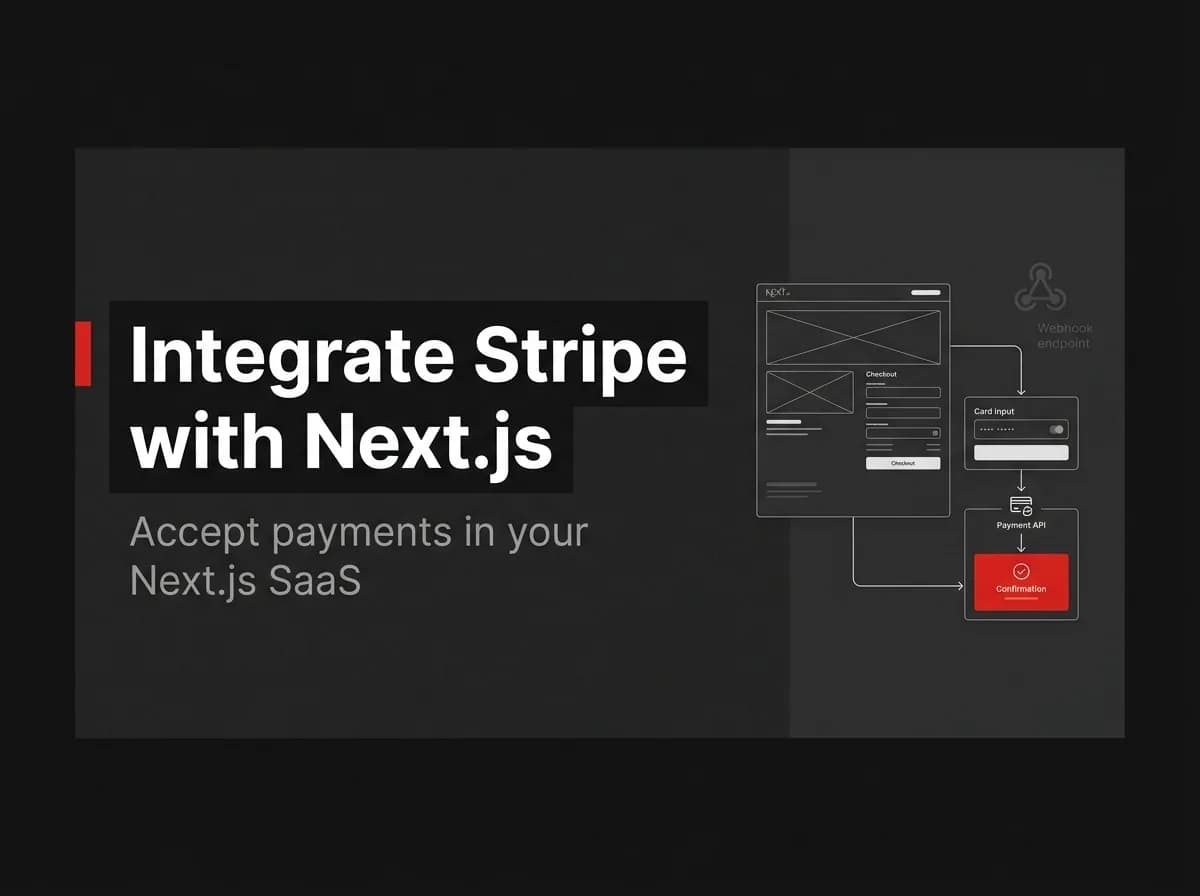
Integrating Stripe with Next.js is three steps: create a Checkout Session on the server, redirect the customer, and verify the webhook before granting access. The webhook step is where most teams cut corners — and it's exactly where payment-related bugs hide. Here's the correct, safe implementation from session creation to entitlement provisioning.
Quick Answer
To integrate Stripe with Next.js, create a Checkout Session on your server, redirect the customer to Stripe's hosted page, and then listen for Stripe's webhook to confirm payment. Always verify the webhook signature before trusting it, and only grant access after the verified checkout.session.completed event — never on the redirect alone.
What we build
Stripe Checkout is a hosted payment page; a webhook is a message Stripe sends your server when something happens. We will create a session, send the user to Stripe, and provision access when the webhook confirms payment. This is the payment layer of the SaaS billing guide.
Prerequisites
A Stripe account and API keys (test mode first).
A product/price created in Stripe.
A Next.js app with a server you control (route handler or backend).
Step 1: Create a Checkout Session
Do this on the server so your secret key is never exposed. (Untested-here: illustrative; match the current Stripe API version at build.)
// app/api/checkout/route.ts
import Stripe from 'stripe';
const stripe = new Stripe(process.env.STRIPE_SECRET_KEY!);

export async function POST() {
  const session = await stripe.checkout.sessions.create({
    mode: 'payment',
    line_items: [{ price: process.env.STRIPE_PRICE_ID!, quantity: 1 }],
    success_url: `${process.env.APP_URL}/success?session_id={CHECKOUT_SESSION_ID}`,
    cancel_url: `${process.env.APP_URL}/pricing`,
  });
  return Response.json({ url: session.url });
}
Step 2: Redirect to Stripe
From the client, call the endpoint and send the user to the returned URL.
const res = await fetch('/api/checkout', { method: 'POST' });
const { url } = await res.json();
window.location.href = url;
Step 3: Receive and verify the webhook
The webhook is the source of truth. Verify the signature with your webhook secret before doing anything.
// app/api/webhooks/stripe/route.ts
export async function POST(req: Request) {
  const body = await req.text(); // raw body required for verification
  const sig = req.headers.get('stripe-signature')!;
  let event;
  try {
    event = stripe.webhooks.constructEvent(
      body,
      sig,
      process.env.STRIPE_WEBHOOK_SECRET!
    );
  } catch {
    return new Response('Bad signature', { status: 400 });
  }
  if (event.type === 'checkout.session.completed') {
    await provisionAccess(event.data.object); // grant entitlement
  }
  return new Response('ok');
}
Step 4: Provision access
Only grant access inside the verified webhook handler, and make it idempotent (Stripe retries). Do not unlock the account on the success_url redirect alone — a user can reach that URL without paying.
Test mode and the Stripe CLI
Use the Stripe CLI to forward events to your local server (stripe listen --forward-to localhost:3000/api/webhooks/stripe) and trigger test events. Test with Stripe's test cards before going live.
Common issues
Webhook signature verification fails
You are almost always passing a parsed JSON body instead of the raw body. Stripe needs the exact bytes it signed.
Access granted but no payment
You provisioned on the redirect, not the webhook. Move provisioning into the verified checkout.session.completed handler.
How FastStaq helps
FastStaq integrates Stripe Checkout with verified webhooks and a shared provisioning path, behind a provider-agnostic layer that can switch between Stripe and Lemon Squeezy via one environment variable. Signature verification, event de-duplication, and entitlement provisioning are already wired — so you do not rebuild the risky parts.