How to Manage SaaS Subscriptions (Lifecycle Guide)
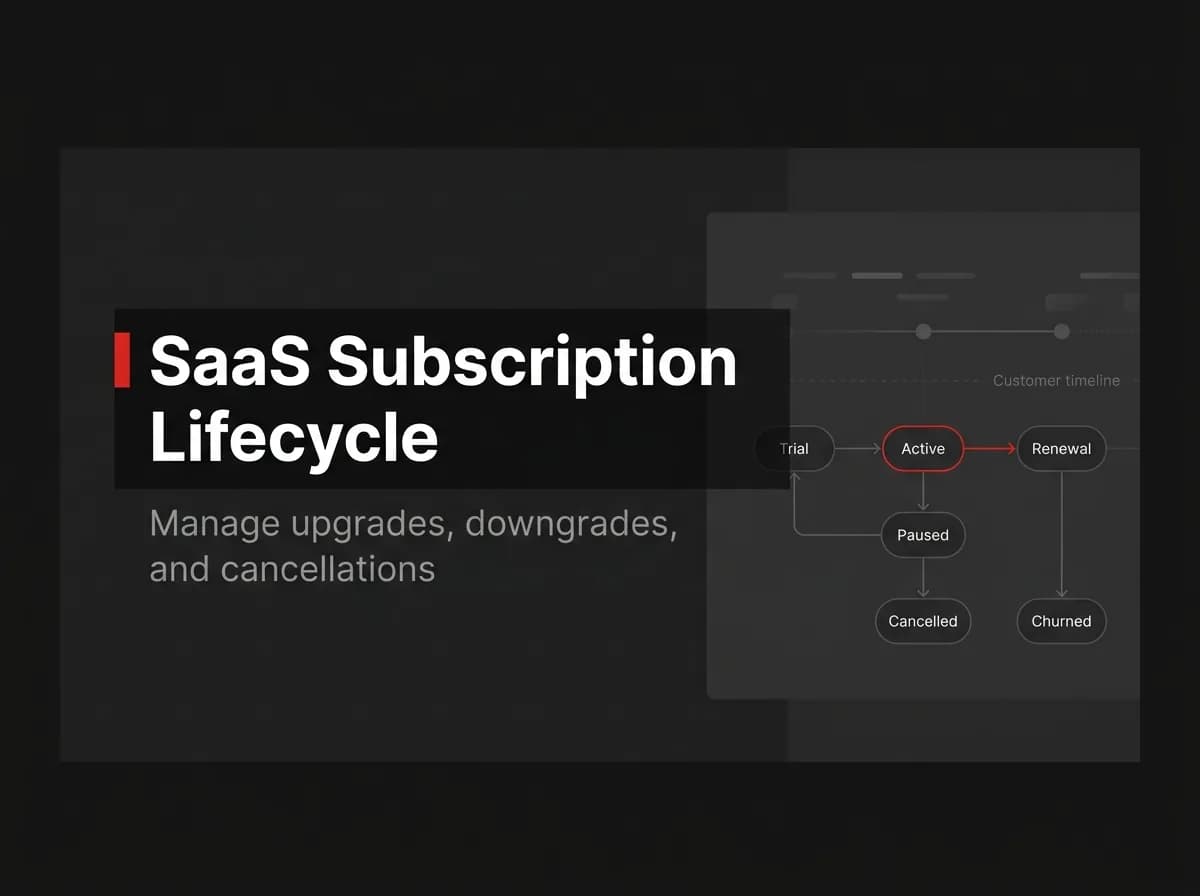
A SaaS subscription lifecycle is the sequence of states a subscription moves through: trialing, active, past_due, canceled, and occasionally back again. Manage it by letting your payment provider's webhooks drive state changes in your database instead of tracking status by hand. Handle failed payments with automatic retries and dunning emails, prorate upgrades and downgrades through your provider's proration settings, and treat the provider's record as the source of truth whenever your database and Stripe disagree.
That's the short version. Here's what each state actually requires from your code.
The lifecycle: trialing, active, past_due, canceled
Most subscription products move a customer through four states, in order: trialing, active, past_due, and canceled. A trial gives the customer product access without a charge yet. Once the trial ends, or the customer pays upfront, the subscription becomes active and stays active as long as invoices get paid.
Payments fail sometimes: an expired card, insufficient funds, a bank flagging an unfamiliar charge. When that happens, the subscription moves to past_due while automatic retries run in the background. If a retry succeeds, it goes back to active. If retries run out, it moves to canceled, either by your configuration or by the customer choosing to leave.
Two states matter in practice but rarely show up in a simplified diagram: incomplete (a first payment that needs card authentication, like 3D Secure, before the subscription can start) and unpaid (a terminal state you can configure Stripe to use instead of canceling once retries are exhausted).
While building FastStaq’s billing flow, I initially treated subscriptions as either active or canceled. That worked for normal payments, but it broke as soon as I tested a payment that required 3D Secure authentication. Stripe created the subscription as incomplete, while our application treated the record as paid and granted access before the payment had finished.
The same assumption created the opposite risk with unpaid. A subscription could remain in Stripe after retries had been exhausted, but our code would not revoke access because it was waiting for a canceled event that never arrived.
The fix was to stop reducing Stripe’s statuses to a boolean. We stored the provider’s actual subscription status, defined access rules for every state, and synchronized the record whenever Stripe sent a subscription or invoice event. Active and trialing grant access, past_due shows a billing warning, and incomplete, unpaid, and canceled do not count as paid access. That extra state handling removed an entire category of billing bugs.
Subscription states, what they mean, and which webhook fires
State | What it means | Webhook event |
|---|---|---|
trialing | Customer has product access during a free trial, no charge yet |
|
active | Customer is paying and current on invoices |
|
past_due | The latest invoice failed but automatic retries are still running |
|
canceled | The subscription has ended, by request or after retries are exhausted |
|
Note: Stripe's event types reference lists close to a dozen more subscription and invoice events beyond these four. The table above covers the minimum your database needs to track.
Webhooks that drive each transition
Don't poll the API to check subscription status. Stripe pushes state changes to your webhook endpoint the moment they happen, so your database can stay in sync without asking. Two things matter for a handler that won't corrupt data under load:
Verify the signature. Stripe signs every event so you can confirm a payload actually came from Stripe before acting on it.
Process idempotently. Stripe can and will redeliver the same event, especially after a timeout, so store the event ID before you act on it and skip anything already processed.
File: server/src/webhooks/stripe.ts (illustrative, untested):
ts
router.post('/webhooks/stripe', async (req, res) => {
  const event = stripe.webhooks.constructEvent(
    req.rawBody,
    req.headers['stripe-signature'],
    webhookSecret
  );

  const alreadyProcessed = await eventLedger.exists(event.id);
  if (alreadyProcessed) return res.sendStatus(200);

  switch (event.type) {
    case 'customer.subscription.updated':
      await syncSubscription(event.data.object);
      break;
    case 'invoice.payment_failed':
      await startDunning(event.data.object);
      break;
    case 'customer.subscription.deleted':
      await revokeAccess(event.data.object);
      break;
  }

  await eventLedger.record(event.id);
  res.sendStatus(200);
});
That event ledger pattern is close to how FastStaq handles it: we store the raw event by ID before processing, so a redelivered webhook doesn't run the same sync logic twice. The actual sync work runs in a Redis-backed BullMQ job rather than inline in the request handler, so a slow database write doesn't stall the response Stripe is waiting on.
Pro tip: Queue the work and respond quickly. A handler that does the sync inline and then hangs on a database write invites Stripe to treat the request as failed and retry it, which is exactly the duplicate-delivery case your idempotency check exists for.
Dunning and failed payments
A past_due subscription is not lost revenue. Most failed cards are temporary: insufficient funds that clear in a day, an expired card the customer hasn't updated, a bank flagging a charge it doesn't recognize. Stripe's Smart Retries use machine learning to pick retry timing per card instead of a fixed schedule, and Stripe's documented default is up to 8 retry attempts within a 2-week window before giving up.
Trigger dunning emails from invoice.payment_failed, not from a cron job that polls status. FastStaq's transactional email worker queues these through Redis and BullMQ, with version-controlled templates so you can adjust copy without a deploy.
Decide upfront what past_due means for access. I'd keep the customer in the product with a billing banner for anything under $50 a month; the support cost of an angry customer who paid a few days late usually outweighs the free usage. For higher-value plans, cut access sooner, the unpaid usage adds up faster than the goodwill is worth.
Upgrades, downgrades, and proration
Stripe prorates subscription changes by default. Move a customer from a $20 to a $30 plan halfway through the month, and the next invoice includes a credit for the unused time on the old price plus a prorated charge for the new one. This comes from the proration_behavior parameter, which defaults to create_prorations.
Two other settings change how the proration bills:
always_invoice: charges the prorated amount immediately instead of waiting for the next cycle. Use this when you want revenue from an upgrade right away.none: disables proration entirely. The customer keeps paying the old amount until renewal, when the new price takes effect.
Downgrades use the same mechanism in reverse: a credit for the unused difference. If your product ties access to plan tier (seat limits, feature gates), don't wait for the invoice to update anything, listen for customer.subscription.updated, diff the price ID or quantity against what's stored, and adjust access inside that same handler.
If pricing includes usage-based components (API calls, seats, storage), track usage separately from subscription state. FastStaq ships a credits and usage-metering module in source for exactly this split: subscription status controls access, metered usage controls billing on top of it.
FAQ
What's the difference between a canceled and an unpaid subscription? Canceled means the subscription has ended and Stripe stops billing it entirely. Unpaid is a state you can configure Stripe to use instead of canceling once retries are exhausted: the subscription stays on record but stops collecting automatically until you or the customer take action.
Should I revoke access the moment a subscription goes past_due? Usually not. Most past_due invoices resolve within the retry window, so cutting access immediately punishes customers whose card update is simply delayed. Revoke access when the subscription reaches canceled or unpaid, and use a banner or email during past_due instead.
How do I test subscription webhooks locally? Use the Stripe CLI to forward events to your local server with stripe listen --forward-to localhost:3000/webhooks/stripe. Trigger specific events with stripe trigger customer.subscription.updated to test each handler without waiting for a real billing cycle.
What happens to proration when a customer downgrades mid-cycle? Under the default create_prorations behavior, Stripe credits the unused time on the higher-priced plan and applies it to the next invoice. The customer doesn't get an immediate refund; the credit shows up as a line item reducing what they owe next cycle.
Do I still need a subscriptions table if Stripe already stores the state? Yes. Stripe is the source of truth for billing, but your app needs local access checks, feature gates, and reporting that shouldn't require an API call on every request. Sync Stripe's state into your database through webhooks and treat Stripe as authoritative whenever the two disagree.
Where to go next
The subscription lifecycle comes down to four states and the webhooks that move a record between them. Get the webhook handler right (idempotent, signature-verified, queued) and most of the lifecycle management follows from that. Dunning and proration are configuration layered on top, not separate systems to build from scratch.
Next, wire up the endpoint itself: signature verification, event routing, and the idempotency check, covered in Stripe subscriptions and handle Stripe webhooks. If you're weighing build-versus-buy for the whole billing stack (checkout, customer portal, dunning, and webhook sync wired together), the full billing guide covers what FastStaq ships out of the box for $299 one time, source code included.